Short answer: Your base lives inside your territory: place the Territory Terminal, press B for Build Mode and build up to the limits shown at the top of the screen (Building Rating, Structures, Furniture & Decor, Function Facility, Power Generator). Start with a small walled room with your stations against the walls, expand the territory at the terminal when you unlock it, and save the result as a blueprint (whole territory or one building). You can move the whole base later without taking it apart. For a production base, leave room for pumps, refineries and planters; for a ship base in Isles of Abyss, see the ship pages.
On this page
Base building basics
Territory
Everything you build sits inside your territory. You claim it by placing the Territory Terminal on open ground (press B at the start of the game). You can build almost anywhere outside settlements and other restricted areas: on a mountain, by a lake, in the woods or on the water. Inside the territory you get the Build Mode menu with tabs for structures, facilities, furniture and decorations.
src: Game8 base building · Azzel83 UNWJPj7xBtU @00:14–00:54
Building Rating and build limits
The top of the Build Mode screen shows your Building Rating and one counter per limit. The counters are the real caps: when one is full, you can’t place more of that type.
| counter | what it counts | example readings |
|---|---|---|
| Structures | foundations, walls, floors, roofs | 302/700 (2025 compact base) · 305/1400 (2026 base) |
| Furniture & Decor | furniture and decorations | 2/250 · 110/900 |
| Function Facility | stations, storage, pumps and other facilities | 64/250 · 83/250 |
| Power Generator | generators | 6/8 · 0/8 |
| Territory Quantity | territories you have | 1/1 |
src: Azzel83 t1x1i7_Fr3A @19:30 · Azzel83 UNWJPj7xBtU @02:30, @04:23 · Sen Evades G3SFXDptpsA @00:38
The caps grow as you progress: the same creator’s Structures cap was 700 in a 2025 base and 1400 in a 2026 one. Your Tech level details list the current limits. You start with 4 generators; upgrading the Small Biomass Generator with advanced Tech raises the cap to 8.
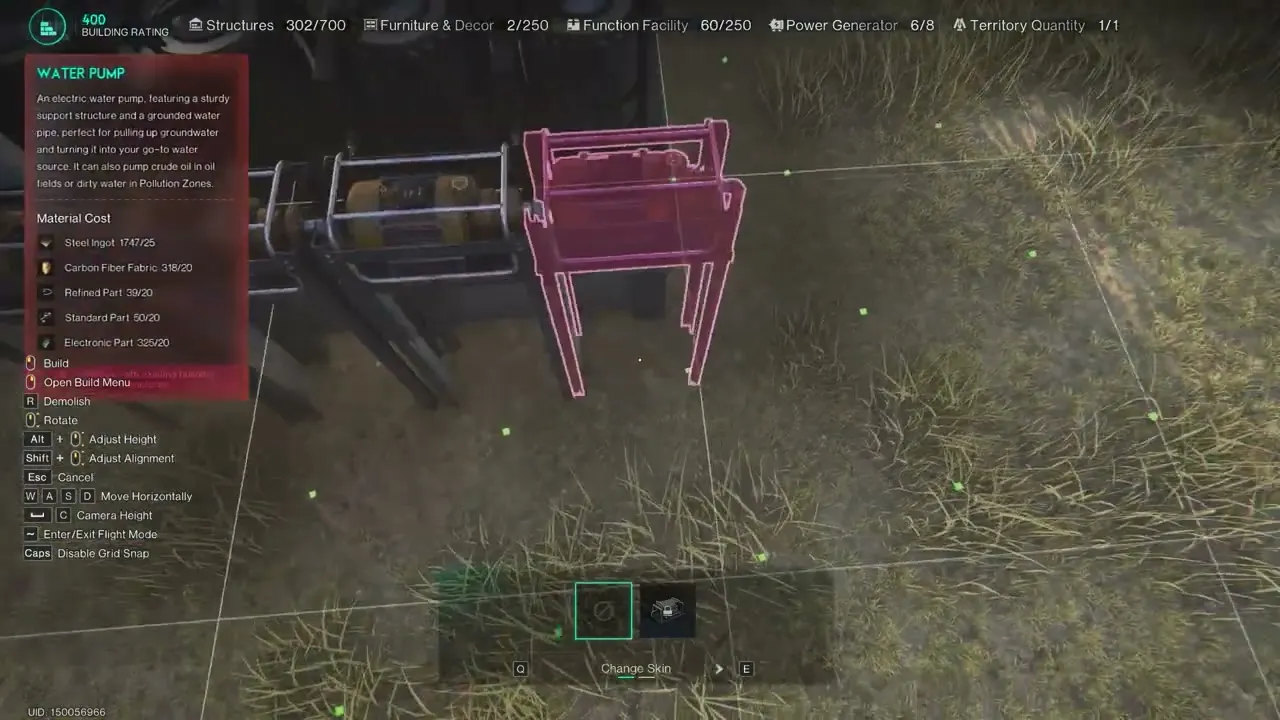 Screenshot: Azzel83, “6x6 Functional COMPACT Base | Once Human Base Building Tutorial” on YouTube, at 19:30
Expanding the territory
Your first territory is small. Once you unlock the expansion (Azzel83 says after you have at least four Tech unlocks; Game8’s 2024 guide calls it the Territory Expansion Memetic in the Building tab), walk to the Territory Terminal and choose the upgrade. The confirmation screen says the territory grows from 14.4 to 32.4 square meters. In Isles of Abyss, a higher Tech level also expands the territory.
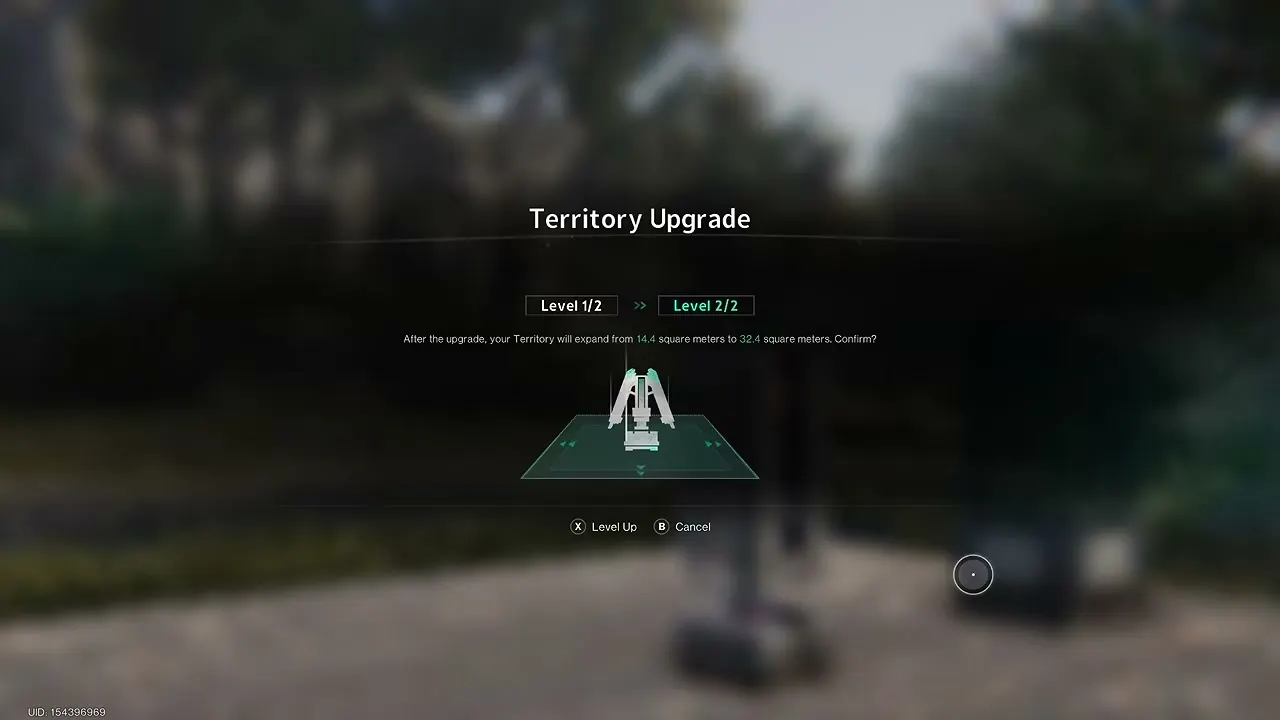 Screenshot: Azzel83, “15 Beginner Building Tips You NEED to Know in ONCE HUMAN 2026!” on YouTube, at 1:40
src: Azzel83 UNWJPj7xBtU @01:18–01:45 · Game8 base building (Expand Your Base) · Isles beginner guide
Blueprints: save your layout
When you have something you like, save it. Add Blueprint offers two options:
- Save Entire Territory: the whole base in one blueprint.
- Save Single Territory: one building, if you only want to keep a house.
The blueprint screen lists every piece it uses and has a Change Material option. Saved designs and the game’s presets are in the House Blueprint tab of the build menu; place one and it builds the whole house if you have the materials. Since the 3.1.2 update (Nov 4, 2026, PT), the holographic preview of a design layout shows the material cost of the structure you select, and you can build single structures from it; for a floating piece, the game works out the best support path for you. When you place a layout and move a whole house, you can pick the snap point. The design-layout global snap was switched off on Nov 5 until a fix ships, because it could damage saved layouts. On a seasonal server the physical base is cleared at the end, but learned house blueprints carry over.
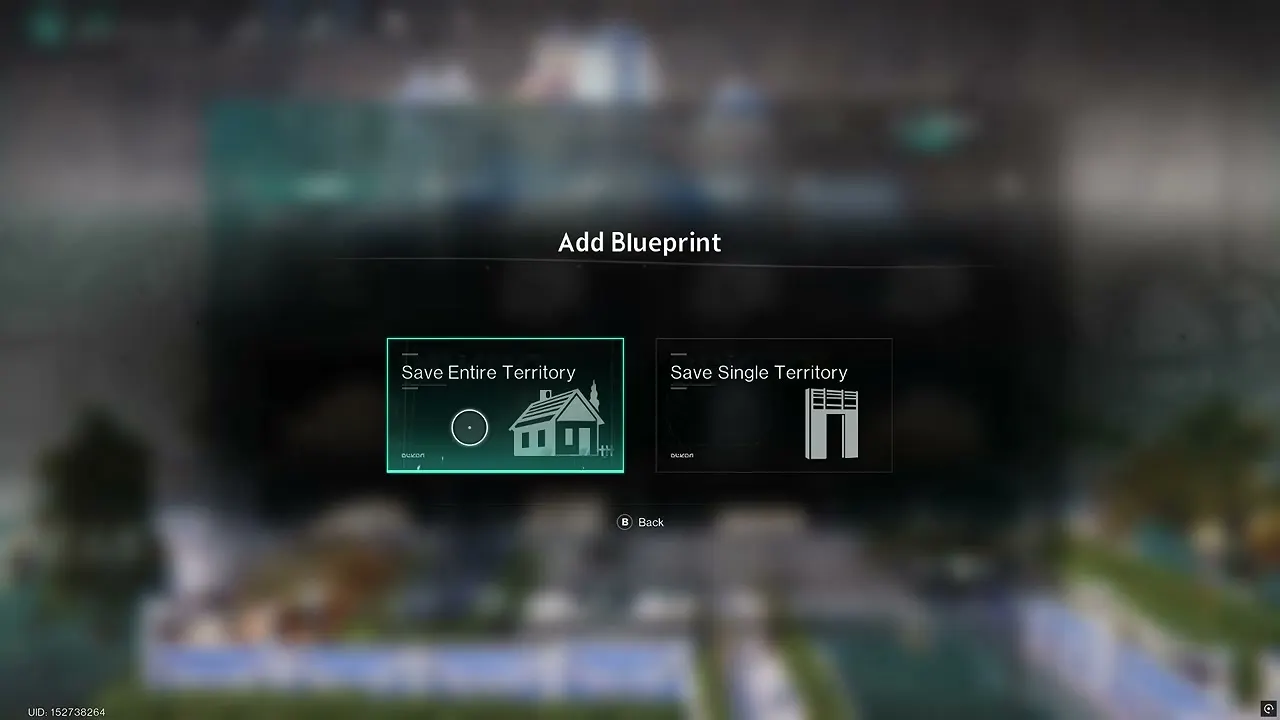 Screenshot: Azzel83, “15 Beginner Building Tips You NEED to Know in ONCE HUMAN 2026!” on YouTube, at 9:16
src: Azzel83 UNWJPj7xBtU @09:06–09:20 · Game8 base building (Use a Building Preset) · Timesaver (season end) · 3.1.2 patch notes (2026-11-04) · 3.1.2 Bug Fixes (2026-11-05)
Moving your territory
You never have to tear a base down to move it.
Go to the new spot and press B for Build Mode.
Press Z (Territory Relocation). A preview of your whole base appears.
Move and rotate the preview until everything fits, then confirm.
Since the 3.1.2 update you can also move a single house inside your territory as a whole, instead of moving the full base.
Rules from Game8: you can’t place it too close to another player’s territory, the new area must be big enough for your structures, and there is a 10-minute cooldown between moves. Azzel83 also shows a height trick: move an empty territory and raise it during the move to build higher than the usual limit of about eight walls.
src: Game8 How to Move Territory · Azzel83 UNWJPj7xBtU @03:14–03:54, @09:26–09:46 · Timesaver (Step 6)
Building controls worth learning first
- Copy a placed part instead of opening the menu for every wall.
- Upgrade in place. A wood house can be upgraded to stone and beyond without rebuilding.
- Toggle anchor points when a piece snaps to the wrong spot. Caps Lock turns grid snap off.
- Batch replace skins (since Nov 4, 2026). On a whole connected building you can swap or remove material skins in one go, and swap or remove the cosmetics of every facility of the same type in that building.
- Flight mode (~ on PC) makes roofs much easier: fly up and place them from the side.
- Permissions. In the social menu you can give friends the right to build on your territory.
src: Azzel83 UNWJPj7xBtU @01:51–03:06, @09:46–10:15 · Game8 base building (Flight Mode, Grid Snap, roofs) · 3.1.2 patch notes (2026-11-04), Batch Replace
Practical base designs
Pick a layout for what the base has to do. All four fit inside the normal limits above.
| design | for | core pieces | example |
|---|---|---|---|
| Starter shell | day one, any scenario | one walled room with a roof and door; stations and crates against the walls, centre left open | Game8, Timesaver |
| Compact | small territory, low Structure count | a tight square (Azzel83’s is 6×6) with every station inside; wiring through wall and floor terminals | Azzel83 t1x1i7_Fr3A |
| Production / farm | Acid, fuel, Stardust, crops while you play | pump rows into large water filters, refineries, mining platforms, planters, Deviation workers | Grizl WmUya_n1318, Sen Evades G3SFXDptpsA |
| Defensive / polluted zone | high-pollution spots with better mining | the production base plus fortified structures, and a repair Deviation such as Paper Doll | Grizl WmUya_n1318 |
src: Game8 base building · Timesaver (Step 2) · Azzel83 t1x1i7_Fr3A · Grizl WmUya_n1318 @01:10–04:58 · Sen Evades G3SFXDptpsA @05:00–08:30
Production base example
Grizl’s base produces most of his materials by itself. Ten polluted-water pumps and two dirty-water pumps feed large water filters, and distillation turns the result into about 576 Acid a day. Part of that becomes fuel. Five mining platforms on Stardust give about 6,400 ore a day in his highly polluted area, more than the base uses. Three more mine gold for the Wish Box, and 120 planters run with two Deviation helpers. He warns that bases in polluted zones corrode if you don’t fortify them or log in often.
Sen Evades builds the same chains with a different layout. Pumps feed a water pump, then a large water filter, a water tank and the sprinklers. Four extraction pumps feed one large oil refinery. Wire everything in a chain: connecting one generator is enough, because all generators share one power pool.
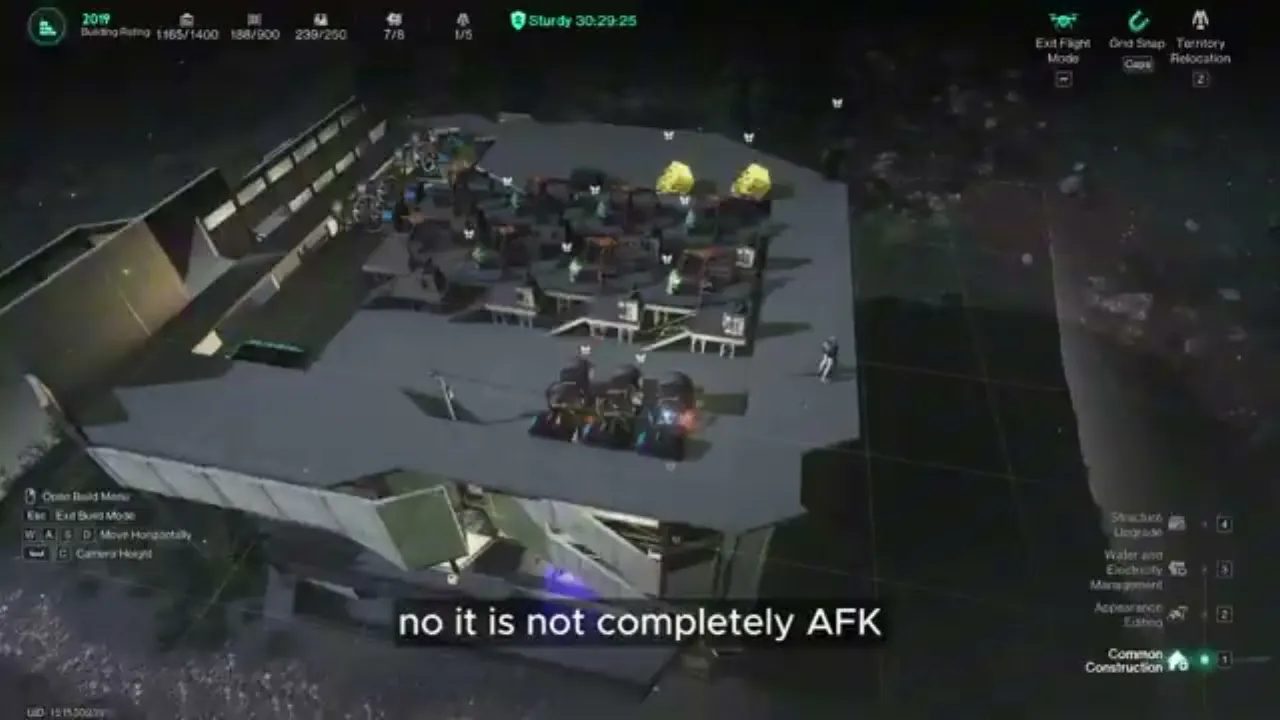 Screenshot: Grizl, “This Base Produces Everything So I Don’t Have To | Once Human” on YouTube, at 0:20
src: Grizl WmUya_n1318 @01:10–04:58 · Sen Evades G3SFXDptpsA @02:05–08:30 · Azzel83 UNWJPj7xBtU @04:52–06:21
Starter base step by step
Choose flat, open ground with trees, ore and water nearby, and leave room to grow. You can move later, so don’t spend an hour on it.
Press B to set the Territory Terminal, then B again for Build Mode.
One room is enough. Copy the first foundation and wall to place the rest quickly.
Start with a workbench, a furnace and a stove, plus a few crates. Keep the centre clear so you can widen the room later. Build a second furnace when smelting slows you down.
Your first generators are Small Biomass Generators; you can wire several together and connect one to the stations.
Upgrade the territory at the terminal when you unlock it, and upgrade wood pieces to stronger materials instead of rebuilding.
Use Save Entire Territory so you can rebuild the base in a new scenario or after a move.
src: Game8 base building · Timesaver (Steps 1–2) · Azzel83 UNWJPj7xBtU · Sen Evades G3SFXDptpsA @00:38–01:30
What to cook at that first stove: cooking recipes. What happens to the base when a season ends: Eternaland.
Ship bases in Isles of Abyss
In Isles of Abyss your ship is a mobile water territory with the same Build Mode, but much tighter caps. Most players run both: a land base for bulk storage and production, and a ship base for workstations at sea.
- Ship base: which facilities fit on board, the storage cap, and sharing materials with your land base.
- Ship designs: hull shapes and finished layouts.
- How to build a ship: your first hull and saving a ship design.
FAQ
How do I save a base blueprint in Once Human?
How do I move my base without losing it?
How do I make my territory bigger?
What is Building Rating?
Do I keep my base when the season ends?
What changed
- v3.1.2 · 2026-11-063.1.2: batch replace of skins and facility cosmetics, move a whole house, snap point, holographic build shows material cost and support path; Nov 5: global snap switched off for now.
- v3.1.1 · 2026-10-30Page created.
Sources
- Starry Studio (oncehuman.game), Version 3.1.2 Update Announcement (November 4)
- Starry Studio (oncehuman.game), 3.1.2 Bug Fixes (November 5)
- Azzel83 (YouTube), 15 Beginner Building Tips You NEED to Know in ONCE HUMAN 2026!
- Azzel83 (YouTube), 6x6 Functional COMPACT Base | Once Human Base Building Tutorial
- Grizl (YouTube), This Base Produces Everything So I Don't Have To | Once Human
- Sen Evades (YouTube), The ULTIMATE Base Building Guide on Once Human!
- Game8, Base Building: how to build a base, facility list, tips
- Game8, How to Move Territory
- Timesaver, Once Human Base Building Guide for Beginners
Once Human Guide is a fan site. Not affiliated with Starry Studio / NetEase. Once Human and related names are trademarks of their owners.